Turning stock preview
Open TURNING → Face or Turn. Choose a lathe to create a separate setup; your original milling setup stays available.
Choose supported chuck or collet workholding, bar diameter, pilot bore, length, stickout and face allowance. Reset stock and operations applies these inputs and clears the operation list. Dimensions are saved in mm; the unit selector converts the display.
Select an existing turning tool, declare external or internal use, usable reach and the minimum entry bore for ID work. These declarations do not verify holder clearance, hand, station orientation or installed offsets.
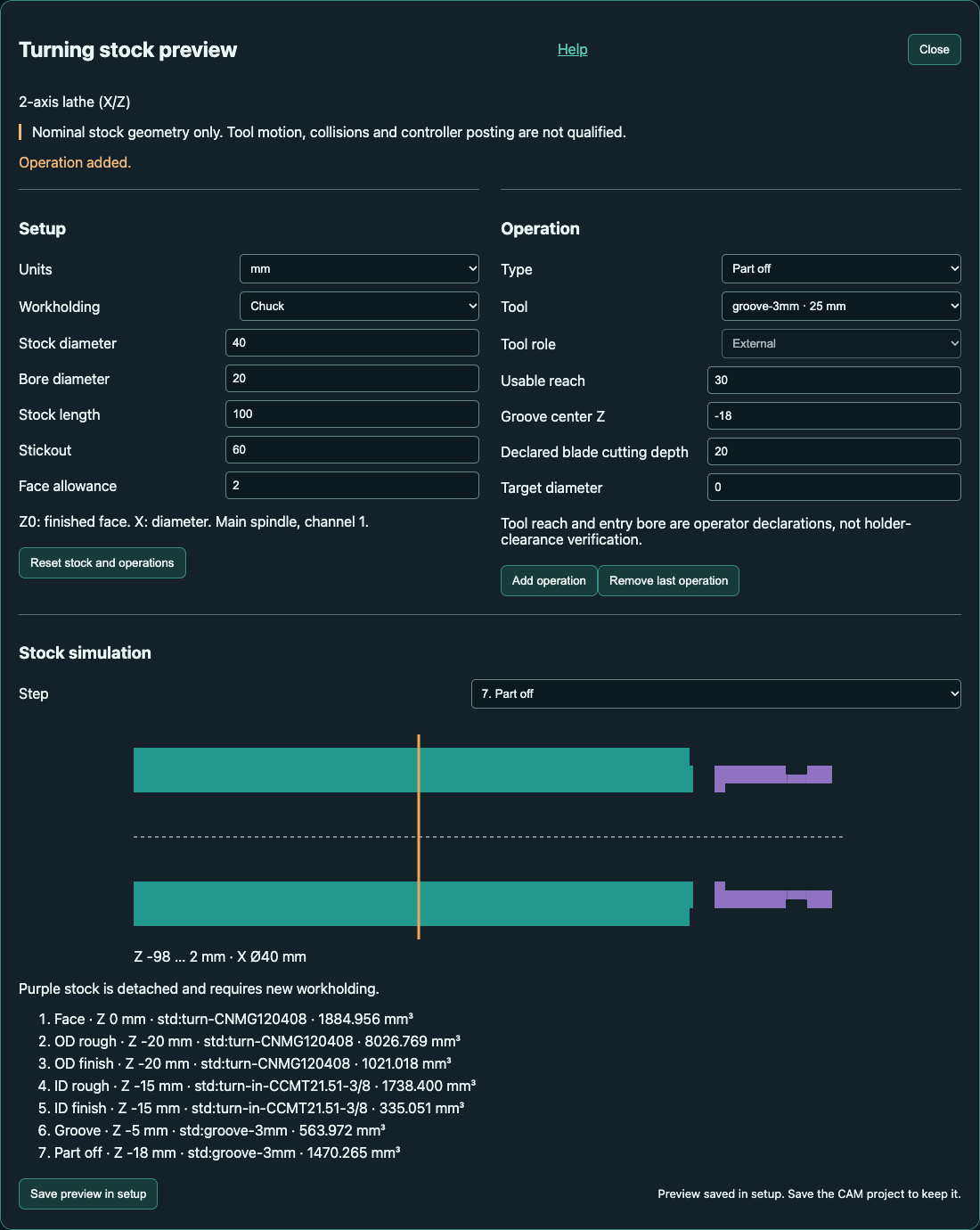
Add Face, OD rough/finish or ID rough/finish in order. Roughing allowance and depth per pass are radial. End Z is measured from the finished face. Use Step to compare the initial bar with each removed-stock section.
Save preview in setup, then save the CAM project. Reopening rechecks the current machine and catalog and recomputes the source operations. A changed or unsupported machine holds the preview.
For Groove or Part off, choose the catalog blade, axial centre, target diameter and declared radial cutting depth. The saved catalog nose radius shapes the corners. Part-off must reach the existing bore or centre; purple material is detached and requires new workholding.
Supported: the previous fixed-head Face/OD/ID nominal workflow, plus rounded grooves and part-off in cylindrical stock regions. Ordinary Face/OD/ID after a rounded profile and overlapping groove edits remain held. Threading, drilling/tapping, live tooling, transfer and Swiss execution are separate increments. No tool motion, collision qualification or controller output.